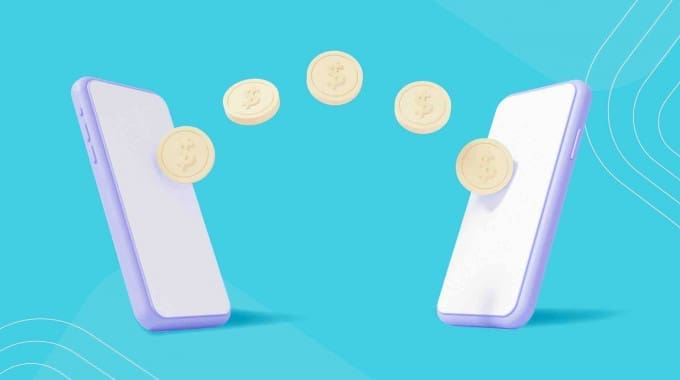
Whether you’re paying rent, buying something off Facebook Marketplace, or chipping in some money for a Timmies run, e-Transfers have quickly become the norm in Canadian households.
And, they’re not going away anytime soon.
According to the 2021 Payment Methods and Trends Report by Payments Canada, the number of online transfers rose 569% from 2019 to 2020.
While online transactions were accelerated in part by COVID-19, digital transactions have become more popular in recent years.
But… there’s definitely a learning curve when it comes to figuring out how these transactions work, with the most common question being: how long does an e-Transfer take?
How Long Does It Take to Receive an E-Transfer?
Interac e-Transfer is a quick and secure method to send money to anyone in Canada by using your own bank account. While Interac provides the technology that enables e-Transfers, the actual transaction is processed through your personal bank account or credit union.
This means your wait time to send or receive an e-Transfer may vary, depending on your financial institution. According to Interac.ca, most e-Transfers are almost instant but may take up to 30 minutes for some people.
Reasons Your Transfer Might Be Delayed
Here are a few reasons why your e-Transfer might take longer.
Poor Internet Connection
One of the most common reasons an e-Transfer takes longer than usual is a poor internet connection. Interac e-Transfers leverage internet connectivity. This means that if either the sender or the recipient of the transfer has a weak Wi-Fi signal, the transfer could be delayed.
If your transfer hasn’t been completed after a few minutes, check your internet connection. If you’re on a weak Wi-Fi connection, try switching to your cellular data. If you only have 1 or 2 bars of your cellular data, try turning on Wi-Fi.
If your internet connection is working, ask the other person involved in the transaction to check their connection as well.
Using Different Financial Institutions
Another reason for a delay may be the differing levels of participation among financial institutions. For example, if you’re using TD and the other person is using RBC, there could be a delay. This is because there are more steps involved in transferring your money between banks or credit unions.
If you transfer money to someone who uses the same bank as you, there are fewer steps required since it’s staying within the same bank’s database. This means the transfer gets processed much faster.
Incorrect Recipient Name or Number
If you’re still having trouble receiving or sending your e-Transfer, and you’ve confirmed your internet connection is good, there could be another issue.
If you’ve been waiting for over 30 minutes, double-check that the correct email address or contact number was entered when sending the e-Transfer. Often, mistakes are made in the sending details, where a single letter or number is incorrect, rendering the transfer void.
If you’ve got all the details correct and it’s been over 30 minutes, you may want to ask the sender to contact their financial institution for more help.
Larger Transfers
If the transaction is larger, Interac may complete a security review, which can delay the transfer. Financial institutions will vary in their maximum thresholds, which can delay the transfer. Financial institutions will vary in their maximum thresholds.

How Long Does an E-Transfer Autodeposit Take?
Interac e-Transfers are an incredibly fast and convenient way to send money. However, they can be even faster when you set up automatic deposits with your bank.
An e-Transfer usually requires a security question and answer to verify a transaction. However, when you opt in to Autodeposit, you can designate a specific account to receive any e-Transfer without needing to answer a security question.
An Interac e-Transfer with Autodeposit will be faster than a standard Interac e-Transfer since you don’t have to answer a security question to receive the funds. The moment someone sends you an e-Transfer, the funds will be deposited directly into your bank account.
Do E-transfers Process on Weekends and Statutory Holidays?
When it comes to Interac E-transfers, there are no weekend e-transfer delays or specific holiday transfer times. You can send money at any time with no delays. The transfers will also be completed in just a few minutes, just like on weekdays. That said, a rare delay can occur if the transaction is flagged outside normal business hours, including overnight e-transfers.
Why Deposited Appears Without an Updated Balance
Sometimes, when you receive an e-transfer, it will show as deposited, but there are no funds. This happens when there are interbank processing delays, system downtime, or due to pending ledger updates. This means that the funds are still technically yours, but aren’t yet part of your available balance.
Depending on the transaction, there are rare cases where a security review is required, which can temporarily delay the transfer process. Something as simple as a recipient name mismatch or a payment status mismatch can trigger this. If it takes too long, the best thing you can do is contact your bank to see if there is an issue and how to fix it.
Resending a Notification and Restarting the Transfer
While scheduled maintenance and service outages can cause delays in e-transfers, notifications can still be lost, delaying the acceptance of a transfer. If this happens, instead of sending another transfer, you can resend the notification.
If your e-transfer isn’t accepted, you can check your payment tracking to find your transaction reference number and proof of payment receipt. If there’s a notification delivery delay, then you can request a resend notice. If it ends up in blocked notifications or the spam folder, then you may have to contact the recipient directly.
How Long Does it Take for an Autodeposit Registration to Activate?
With Interac E-transfer, your Autodeposit registration is active immediately. Once you enter your email address or phone number, you’ll receive a verification message from Interac to complete the setup via email or mobile number registration.
Once you get the message, you have 24 hours to complete the Autodeposit registration steps. There isn’t usually an autodeposit registration delay for autodeposit activation, and you should be able to receive transfers immediately.
Verifying That an E-transfer Confirmation is Genuine
When you receive an interac e-transfer, it’s important to do a fraud screening for phishing emails and fake transfer confirmations. To spot these scams, there are a few things you can do, including:
- Checking your account directly to verify if the funds are in your account, and you have an updated posted balance
- Looking at the sender verification to verify that it comes from the proper domain
- Looking for formatting errors and spelling mistakes
- Looking for fake deadlines to pressure you into clicking
This is different from an intercepted transfer scam, where a legitimate money transfer is sent to their own bank account. While you still receive the payment verification, since no duplicate transfer was sent, it will be intercepted in your email before you even see the notification.
The Likelihood of an E-transfer Being Intercepted
The likelihood of an e-transfer being intercepted isn’t based on the banks, but your own email security. This is because both the banks and Interac E-transfer are extremely secure. This is also why you should have secure answers to reduce the likelihood that someone can access your funds.
Will the Bank Refund a Stolen E-transfer?
Whether a bank supports escalation and issues a refund depends on their transfer troubleshooting and how the transfer occurred. For example, if a hacker broke into your account and sent a transfer without your consent, then you will receive a refund. However, if you were tricked into willingly sending an e-transfer to a scammer, then you will not be eligible for a refund.
Sending an E-transfer to the Wrong Person
If you send an e-transfer to the wrong person, the first thing you should do is check whether or not it’s been deposited. If it hasn’t been deposited, then you can still cancel it. However, if it were an autodeposit transaction, you would have to contact the recipient or your bank to figure out how to reverse the transfer or have the funds returned to you.
Since this type of transaction doesn’t fall under the bank’s fraud reimbursement policy, as well as bank fraud reporting with the Canada Anti-Fraud Centre, there’s no guarantee that you will get your funds back. The bank can mediate disputes over a sent transfer; however, even if the wrong person received the money, it’s still your mistake.
Raising Your E-transfer Limit
Each bank in Canada has a different e-transfer limit, which affects how much money you can send. To change it, you can update the settings in your mobile app or online banking, or contact your bank directly. The type of bank account that you have will also make a difference.
Are Businesses Able to Send Bulk E-transfers?
In Canada, Interac offers bulk e-transfers for businesses. All companies have to do is upload a single file with up to 10,000 individual payments or request instructions. It’s ideal for payroll, vendor payouts, refunds and more. It’s even ideal to transfer to multiple autodeposit accounts.
With e-transfer for business, you can also manage payroll via transfers, business auto-deposits, and more. That said, the single transaction limit is capped at $25,000.
How to Check for Bank Outages and Scheduled Maintenance
The simplest way to check for bank outages and scheduled maintenance is to check the bank’s website. It could be the reason you have not received funds, as no money was debited to your account. This is why you should always double-check if you’re missing a transfer notification.
If it’s taking too long and you have a 24-hour delay or even a 48-hour delay, then you may have to contact the bank. They can always give you a delayed deposit confirmation and verify if your funds are on the way.
How to Trace Missing Transfers
If you have a missing e-transfer, you can do an e-transfer trace. Instead of starting with the bank investigation process, you can do your own search first. You start by logging into your account and going to your interac e-transfers settings. You can then go into your transfer history or pending, to see the transfer process. You should also note the reference number.
Preventing Multiple Transfers When There is a Delay
To prevent duplicate transfers, wait 30 to 60 minutes before attempting the transfer again. You can also check the status of the transfer in your bank account. If it says sent or pending, then the money is in transit, and you shouldn’t send another transfer.
You can also confirm with the recipient if they’ve received a notification of the transfer. You can also have them check their spam account to see if the funds are there. If they have not received any notification, you can cancel the transfer.
That said, the simplest way to prevent this is by using autodeposit. You don’t have to worry about an email account compromise, having insecure security question answers, or even following strong security question tips, since most banks offer two-factor authentication and can help you avoid Interac e-Transfer fraud.
How to Find Transfers That are Blocked by Spam Filters
If you have e-transfers blocked by spam filters, the simplest way to find them is to check your hidden storage folders, active inbox rules, and safe sender configurations. This is because legitimate transfers still have external links, and many email providers still flag them as being spam.
Why Your Security Question Matters
When you’re sending an interac e-transfer, your security question makes a big difference. This is because having a secure security question can help prevent unauthorized users from gaining access ot the funds. If the funds are accidentally sent to the wrong person, it also prevents them from accepting funds that aren’t theirs.
How Do the E-transfer Fees Compare Between Banks?
Where you bank in Canada will influence how much you pay per e-transfer. Let’s take a look at a bank e-transfer fee comparison with the top 5 banks.
- RBC, TD and BMO: free with most chequing plans
- Scotiabank: $1.00 per transfer for those who don’t have plans with free e-transfers
- CIBC: Up to $1.50 per transfer, for those who don’t have monthly transaction packages
Another thing to consider is the transfer time. While most alternative banks offer free transfers, transfer time is the deciding factor.
- Tangerine Transfer Time: a few minutes to 24 hours
- Simplii Transfer Time: a few minutes to 30 minutes
- EQ Bank Transfer Time: 5 minutes to an hour
- Wealthsimple Cash Transfer Time: 5 minutes to 30 minutes
With EQ Bank transfers, delays are common. Desjardin transfer delays are also very common.
What is Real Time Rail and How Will it Affect Payment Times?
Real-Time Rail is a new national payment system in Canada that allows people to send money quickly and reliably, while still using the ISO 20022 standard. It’s going to replace a smaller system that only supports batch processing and runs on weekends and holidays. Instead of waiting a few business days for bank-to-bank transfers, Real-Time Rail enables more efficient processing.
Bank transfer times and credit union transfer times will now be more closely aligned. It can be used by businesses for payroll transactions as well as by individuals just to send funds from bank to bank. While this Payments Canada modernization can’t be used for US account transfers, there are cross-border alternatives.
How Do You Set Up Recurring and Scheduled Transfers?
If you’re looking to set up recurring and scheduled e-transfers, you have to do so using your online or mobile banking.
- You start by going to the mobile banking section of your banking app.
- You then choose the recipient of the funds you wish to send.
- You’ll select the date for the future-dated transfers, as well as the amount and any notes you want in the transfer memo field.
- You’ll then select the end date and the payment frequency for the scheduled recurring transfers.
- Finally, you confirm the details and confirm the payment schedule.
Keep in mind that these funds can be cancelled immediately, as well as while the transfer is stuck in processing.
The amount you can send is based on your weekly rolling limit, which is different from your Request Money Feature limits. You’ll need to check your receiving and sending limits and increase your transfer limit if necessary.